
Create Custom Photo Calendars with PhotoPioneer Software

PhotoPioneer photo editing software offers a wide range of functionalities, including the ability to easily print personalized photo calendars for a truly unique touch.

Overall picture

  • PhotoPioneer software allows for creating custom photo calendars
  • Achieving an oil painting effect in photo editing
  • Crucial features for red-eye correction in photo editing software

One of the key features of PhotoPioneer is its user-friendly interface, which makes it easy for even beginners to navigate the program and start editing their photos. The software offers a wide range of editing tools, including basic adjustments like cropping, rotating, and resizing, plus more advanced features like color correction, retouching, and applying filters. With PhotoPioneer, you easily enrich your images and make them look professional with just a few clicks.

One popular use of PhotoPioneer is to create print photo calendars. With the software’s built-in calendar templates and customization options, you easily design a personalized calendar with your favorite photos. Whether you want to create a calendar for yourself or as a gift for a friend or family member, PhotoPioneer makes it simple to add photos, captions, and special dates to your calendar. You choose from a variety of layouts and themes to create a calendar that suits your style and preferences.

In addition to creating print photo calendars, PhotoPioneer is also used to create other photo products, such as photo books, greeting cards, and posters. The software offers a range of templates and design tools to help you create professional-looking products that showcase your photos in the best possible way. Whether you are looking to create a keepsake photo book of a special event or a personalized greeting card for a loved one, PhotoPioneer has everything you need to bring your ideas to life.

Another useful feature of PhotoPioneer is its batch processing capabilities, which allow you to apply the same edits to multiple photos at once. This saves you time and effort when editing large numbers of images, making it easier to create consistent and cohesive photo products. Whether you are editing photos for a professional project or simply want to streamline your editing workflow, PhotoPioneer’s batch processing feature helps you work more efficiently.

Augment Your Photos with Photo Editing Software

FeatureDescriptionBenefitsExamples
Editing ToolsWide range of tools to adjust colors, lighting, and compositionImproved image quality and visual appealAdjusting brightness, contrast, and saturation
FiltersApply artistic filters for unique effectsCreate stunning and creative imagesApplying vintage, black and white, or sepia filters
RetouchingRemove blemishes, wrinkles, and imperfectionsImprove overall appearance of subjectsRemoving red-eye, smoothing skin, and whitening teeth
CroppingAdjust composition by cropping and resizing imagesFocus on main subject and remove distractionsCropping for better framing and composition
CollageCreate collages with multiple photosShowcase multiple moments in one imageCombining images into a single collage

How to Achieve an Oil Painting Effect in Photo Editing

To achieve a stunning oil painting effect in photo editing software, adjust the brush strokes, blend colors seamlessly, and boost the texture for a realistic finish.

First and foremost, it is important to familiarize yourself with the features and capabilities of your chosen photo editing software. Whether you are using Adobe Photoshop, Lightroom, or any other software, comprehension how to manipulate layers, brushes, and filters will greatly augment your ability to create realistic oil painting effects.

One of the key techniques in achieving an oil painting effect is to utilize filters that mimic the texture and brush strokes of traditional oil paintings. Many photo editing software offer a variety of filters that offer the ability to apply to your images to create a realistic oil painting effect. Experiment with different filters and settings to find the combination that works best for your particular image.

In addition to filters, utilizing layers and blending modes also helps improve the realism of your oil painting effect. By creating multiple layers and adjusting the opacity and blending modes, you add depth and dimension to your image, making it appear more like a traditional oil painting.

Create custom photo calendars

Another important tip when trying to achieve an oil painting effect is to pay attention to color and lighting. Oil paintings are known for their rich, lively colors and dramatic lighting, so it is important to adjust the color saturation, temperature, and lighting of your image to mimic the look of an oil painting.

Furthermore, don’t be afraid to experiment with different brushes and brush settings in your photo editing software. Varying the size, shape, and opacity of your brushes allows you to create different brush strokes and textures that will enrich the realism of your oil painting effect.

Finally, practice makes perfect with respect to creating a convincing oil painting effect with your photo editing software. Take the time to experiment with different techniques and settings, and don’t be afraid to make mistakes. The more you practice and refine your skills, the better your oil painting effects will become.

Indispensable Features for Red-Eye Correction in Photo Editing Software

One fundamental requirement for photo editing software is the ability to effectively correct red-eye in photos, ensuring a professional and polished final result.

One of the most important requirements for photo editing software https://www.in-mediakg.de/en/software/photopioneer-photo-editing-software/ is ease of use. The software should be user-friendly and intuitive, allowing users to easily navigate through the various editing tools and features. This is especially important for beginners who may not have much experience with photo editing.

Another indispensable requirement for photo editing software is the ability to perform red-eye correction. Red-eye is a common issue that occurs when a camera flash reflects off the retina of the eye, resulting in a red or orange tint in photos. A honorable photo editing software should have a reliable red-eye correction tool that allows users to easily remove red-eye from their photos.

In addition to red-eye correction, photo editing software should also have a wide range of editing tools and features. This includes basic editing tools such as crop, rotate, and resize, besides more advanced features like color correction, exposure adjustment, and image retouching. Having a variety of editing tools at your disposal allows you to boost and improve your photos in a variety of ways.

Furthermore, photo editing software should be compatible with a variety of file formats. This ensures that you are able to easily import and export your photos in different formats without losing quality. Compatibility with popular file formats such as JPEG, PNG, and TIFF is crucial for a seamless editing experience.

Another important requirement for photo editing software is speed and performance. The software should be able to process and render edits quickly and efficiently, allowing users to work on their photos without any lag or delays. Slow performance may be frustrating and hinder the editing process, so it is important to choose software that is fast and responsive.

In addition to speed and performance, photo editing software should also offer a high level of customization. Users should be able to adjust settings and preferences to suit their editing style and workflow. Customizable features such as toolbars, workspace layouts, and keyboard shortcuts may help augment productivity and streamline the editing process.

Requirements for Photo Editing Software Red-Eye Correction

  • Advanced red-eye detection algorithm
  • Ability to automatically detect and correct red-eye in multiple photos at once
  • Manual red-eye correction tool for precise adjustments
  • Option to adjust red-eye correction intensity
  • Compatibility with various image file formats (JPEG, PNG, etc.)
  • Support for batch processing for efficient editing of multiple photos
  • Real-time preview of red-eye correction results
  • Integration with other photo editing tools and features
  • User-friendly interface for easy navigation and usage
  • Ability to save edited photos in high quality resolution
FAQs on Tips for Achieving an Oil Painting Effect in Photo Editing Software

What are some key techniques for creating a realistic oil painting effect?
– Utilize the brush tool to add texture and depth to your image.
– Experiment with different blending modes to achieve a more natural color palette.
– Adjust the saturation and contrast levels to improve the vibrancy of your colors.
How can I mimic the brush strokes of an oil painting in my edited photos?
– Try using a brush tool with a low opacity and flow setting to gradually build up the appearance of brush strokes.
– Vary the size and angle of your brush strokes to create a more realistic effect.
– Consider adding a canvas texture overlay to further enrich the illusion of a traditional painting.
Are there any specific filters or effects that work well for achieving an oil painting look?
– Experiment with the oil painting filter available in many photo editing software programs.
– Try applying a blur effect to soften edges and create a more painterly appearance.
– Consider adding a vignette or soft light effect to draw focus to the central elements of your image.
What are some general tips for boosting the overall composition of my oil painting-style photo edits?
– Pay attention to lighting and shadows to create a sense of depth and dimension in your image.
– Use selective editing tools to highlight specific areas of interest and add visual impact.
– Consider cropping or resizing your image to improve the overall balance and focus of your composition.

Photo editing software for Windows 10 for photo effects

Photo editing software for Windows 10 and the easy way to edit pictures
The photo software required to fix this flaw is sometimes free of charge for photo editing software for Windows 10, so this way of photo optimization is very widespread. This includes errors such as distortion or disturbing objects in the image and so on. This includes photographic effects such as clipart, inserting symbols into photos, adding masks and another area of photo editing is the stylish changing of an image. Popular common photo formats include jpeg and tiff, and many other file formats.

photo editing software for windows 10Photo of the photo editing software for Windows 10

Photo editing software for Windows 10 for photographers and experts

Process snapshots with the helpful brand new photo editing software for Windows 10
Do you have a digital camera? Have you taken a lot of photos from a party and now want to quickly and easily optimize the photos and change them easily? We have the simplest photo editing software for Windows 10 for this purpose. With this innovative software for image editing it is child’s play to improve your beautiful snapshots for beginners as well as photographers.
Are you thinking about how you can remove imperfections in your snapshots or create a photo collage, for example? With an innovative application, perfect photo editing is possible for everyone! In addition, there are many useful photo editing effects in the tool, such as making pictures brighter, photo collage, inserting text into photos and cropping photos. The photo editing software for Windows 10, which can be downloaded for free, is unprecedented by many additional features such as printing the photo and printing imaginative photo albums. Here you can download the Fotoworks XL photo editing software for Windows 10 for free.

photo editing softwareImage shows photo editing software

Photo editing software for Windows 10 for retouching pictures

Download now: photo editing software for Windows 10 for the whole family
You certainly have a camera and have already taken a lot of great snapshots from your family celebration and now you would like to quickly and professionally improve and edit your pictures? We offer the compact and easy-to-use image software for this task. With this innovative photo editing software for Windows 10 for photo editing, beginners and photographers can easily edit their great snapshots. Are you interested in the fastest way to optimize photo errors in your photos and then print your photos? By using professional software, complete photo enhancement is child’s play! On top of that, many effects are integrated in the pics editor, such as darkening the image, correcting the contrast in images, writing text, but also darkening the image. Ideally, the pic editor, which is unfortunately not freeware, will prepare a large number of additional features such as photo prints in all standard sizes and design great photo cards for the application area. On this website you can download and try out the picture editor for free.

The compact menu design of the photo software is actually useful. The simple Windows tool was designed for all photographers who focus on professional photo software, which is easy to understand on the one hand, but at the same time is the ideal solution for experienced users due to its many editing functions.
Use the functions of an easy-to-use photo editor when editing a photo. For this reason, the photo editing program is suitable, which is not freeware especially for inexperienced users, as well as for experienced users who want to edit your pictures.

Photo editing software for Windows PC the simple photo editor

Colorize photos with the helpful photo editing software for Windows PC for manipulating an image

Underlying the photo editing: What is meant by a photo editing? The term image processing combines the PC-supported editing of images or images. They are interested, for example, how best to optimize the red-eye effect in your photo and then print your pictures? With a simple and professional application, a perfect image editing is quite easy to implement! On top of that, there are a lot of great image editing effects in the software, such as images, clip art, changing the brightness of an image, blurring the photo shadow, as well. The image processing program is enhanced by numerous additional functions such as the photo print or the application area to print individual photo albums. You certainly have a camera and have already created a lot of beautiful photos of mountaineering and would like to easily but easily optimize all your photos and creatively change? On our side we have the powerful and user-friendly photo editing software for this task. In special cases, a classic image editing is used to remove errors in a photo, which often occur when shooting photos. With photo editing software for create photo montages, it’s easy for beginners and photographers to edit their unique photos. Here you can download and test the image editing program for free.

Popular file formats for editing photos include jpg and gif, but also many other images format. These include image effects such as inserting clipart, remove people, write text in image or reduce the size of the photo. The photo editing software needed to eliminate these blemishes is often freeware photo editing, so this way of image editing is appreciated. Another potentially applied field of image processing is stylistically changing images. These include, for example, distortions or skin defects in portraits and the like. The possibilities to edit digital shootings are completely different and usually only by the lack of photo editing software knowledge of the user without training period to realize. Because of these shooting errors, photos are often too blurry and not quite perfect in any other way.

We were searching the world wide web for really new easy photo editing software for remove red eyes

Before you buy, make sure you know what features are most important to you.

There are loads of applications with the effects of photo clipart’s or images plasma effect. The good quality photo editing software made for inexperienced users and professionals has features such as Photo Red Eye Removal and Pictures Fun Effect. Through this way, all existing software functions can be tested before purchasing. Looking for software to edit a photo is the free download of a free APP. Do you like image editing effects like sharper photos as well as picture frames? Try it: Here you can download and test the photo editing software.
Always used in image editing effects in the free editing photo software are pictures collages or correction of brightness. The photo editing software is designed as Windows 8 photo editing software, software for image editing, photo collage photo editing software, or as a photo montage to create. Occasionally one encounters these image processing programs on the Internet portals of computer magazines.

Photo editing softwareScreenshot of photo editing software

Photo editing software for Windows PC for starters and experts

Coloring pictures with the top modern easy photo editing software

With this photo editing software it is easy for beginners, but also professionals to process your great pictures. The image processing program, which is not freeware, will be upgraded with many useful features such as the photo printing studio and the possibility of creating unique photo cards. You certainly have a camera and have already created a lot of beautiful pictures of the holiday and would now like to simply optimize a lot of your pictures and change in no time? On our webpage you will find the easiest photo editing software for Windows for you.
On this website you can download and try out the photo editing software for free. They are interested, how best to improve ugliness in your snapshots and then print out your pictures? Using simple software makes intuitive retouching a breeze! In addition, many great photo effects are integrated into the software, such as collage, color values in a photo correct, photos rushing or deforming. Repeatedly used photo features during image editing are image features like beauty retouching and also photo fisheye effect. With this fantastic photo editing software, effects such as “color correction” can be realized. Now we will inform you about the current state of the art of photo editing software, edit images and also photo editing software. The particularly comfortable photo editing software is currently available for everyone to try out.
The good edit photo software for contrast of photos includes, for example, modifying photographs, improving red eyes or building a photo collage. Absolutely effortlessly process photos with the easy-to-understand photo editor software for photographic effects. To manipulate a few digitized photos and at the same time images, you get many photo editing software. From now on, your photos can easily be corrected and also printed as a calendar. With appropriate edit pictures software you will achieve great results very quickly! The optimized editions to the topic circle a photo edit, software to edit pictures or the functions of photo editing software. To fill the pictures with red paint you will encounter a lot of free photo editing software for coloring pictures.

Visit us on Pinterest: https://www.pinterest.de/fotoworksxlen/

You can then print pictures as a picture album. We present again brand new information on the subject of software to edit images, edit photos and also photo editing program. Surely you have a camera and have already created a lot of great pictures of a summer holiday and now want to quickly and professionally retouch your photographs and edit them creatively? On our webpage we offer the suitable image processing program for Windows. With this new image processing program for airbrush a picture it is easy to perfect your beautiful photographs. Review the editing photo software now for free. You’re thinking about how to fix ugliness in your photos and then make a photo collage out of your photos? By using a professional application, a complete photo editing is easy to realize! In addition, a lot of beautiful photo effects are included in the edit photo software such as insert picture clip art, change contrast in pictures, Picture red-eye effect but also pictures blur.

Here you can download and test the photo editing software for free. Upgraded is the photo editing software, which you can download for free, by great features such as the photo printing studio and the use of beautiful photo albums to design.

Good Photo Editing Software for PC

Is it worth the search for best photo editing software for PC free download?

To edit your pictures, of course, you want to use a good photo editing software and not just any. Often, it takes time to find photo program for photos that you can handle. Choosing the right tool is a bit easier now. Fotoworks XL 2, the photo editor for PC, offers many great effects, filters and editing options for digital photos. Adjust brightness or insert another background into a picture, everything works in just a few steps.

A easy to use photo editing software is also characterized by a simple operation. Many photo editing software are highly complicated as they are mostly created for professional use. But not only professional studios, advertising agencies or photographers want to edit pictures, but also the private PC user. Also for amateur photographers or the photo processing at home on the computer so there must be appropriate software.

http://www.fotoworks.org/easy-to-use-photo-editing-software/

The Photo Editing Software Free Download for Every Occasion

A photo editing software for PC free download for windows 10 just in case you can edit your pictures.

  • Photo editing software free download
  • Professional photo editing software free download
  • Free photo editing software
  • Photo editing software free
  • Photo editing software for Windows
  • Photo editing software for PC
  • Best photo editing software for PC free download
  • Best free photo editing software for Windows 10
  • Best photo editing software for beginners
  • Best photo editing software
  • Best free photo editing software
  • Photo editing software download
  • Photo editing software for beginners

The PC photo editing software also provides the right tools. For example, if you want to rotate a picture, you can use the rotate pictures tool. Similarly, photos can be mirrored or deformed with a mouse click. In particular, frequent tasks in photo processing, such as in batch mode, also called batch mode, reduce multiple photos at once, can be done quickly with the software. And this is completely automated, so that not every photo needs to be selected individually when reducing the photo in the software. This is convenient and saves a lot of time.

Photo Editing SoftwareScreenshot of Photo Editing Software

Photo Editing Software for Beginners and Create Web Graphics

The modern professional photo editing software free download also makes it easy to create web graphics.

When creating or maintaining a website, you need photos and graphics for it. Graphic elements make a website look more interesting, as well as graphics can represent facts or inform the user. With the image editing software you can easily create web graphics. For example, an infographic or a graphic for a slideshow would be conceivable as a graphic for the web.

Similarly, graphics and photos must be prepared for publication on the Web. For example, a photo may be too dark or the alignment is inappropriate. Right here you can improve with the easy to use photo editing software. For example, you can change the color of a picture and also the brightness ratios. It does not always have to be expensive software if you want to edit a picture. Even with a cheap alternative like Fotoworks XL 2 you can quickly get great results.

Watch on Youtube: https://www.youtube.com/watch?v=ESZcDaJf6Xs

Photo Editing Software for PC for Print

The photo editing software for print has all the tools to edit print graphics.

Photo Editing Software Windows for Darkening Images

Invert pics with the top modern photo editing software for Windows 10

Common terms used in graphics editing are object cropping, photo orientation, pipette, and photo contrast and the like. An application that performs normal photo editing on the laptop is called photo editing software. It should be noted here that such photo editing software are predominantly used to optimize photography, but sometimes also as drawing programs. Such Windows photo editing software offers a variety of image editing functions, which are generally arranged in software menu but also in a bar with icons. Photo editing software specializes in raster graphics and is necessary for optimizing shootings. People browsing the net for photo editing software, use keywords such as editing images program as well as software to edit the photo.

Common phrases for image editing features are covering areas, correction of brightness, sharpening image and also colorize photo and so on. The tool with which the image processing is carried out on the laptop is called an image processing program. At this point, it should only be noted that such software for image processing are used primarily for editing photography, but sometimes also as drawing programs. Such an image-editing program for Windows 10 and Windows 7 enables numerous image-editing functions, which are generally arranged in software menu and a toolbar. People, who browse through the search engine for photo editing software, take such keywords as program for photo editing and photo editing software.

This new photo editing software makes it easy for beginners and professionals to correct their unique images.
You are dealing with it, for example, how can you remove color errors in your images and then use your photos to create a photo collage? With simple photo editing software a picture change is easy! In addition, many good image effects are integrated into the software such as clipart’s in an image insert, image fun effects, image sharper and image transparency. On our website you can download the pics editor for free and unlimited testing. What is a picture editing? The term photo editing refers to the computer-aided processing of photographs or digital photos. Ideal is the photo editing software, which you can download for free, by many great additional features such as the photo printing and the ability to create unique photo calendars. Mostly, digital photo editing is used to remove photo errors that can sometimes happen to the best photographer when taking pictures. You own a camera, have created beautiful snapshots of your girlfriend and would like to easily but easily enhance and organize many of your photos? On our website you will find the suitable and user-friendly photo editing software for it.

The functions of editing photographs are extremely different and, in most cases, cannot be carried out without problems only due to the lack of previous experience of the photographer. Another possible application for image editing is the stylistic alienation of an image. The required photo editing software is sometimes a free image editing, for this reason, this way of image editing is common. Due to these shooting errors, images often appear too dark and in other ways poor. These include errors such as underexposure and red-eye effect et cetera.

Photo Editing SoftwarePicture Shows Photo Editing Software

Photo Editing Software for Windows 10 for Improve Photos

All about photo editing software for Windows

Frame images and cut without problems.

With various edit photo software that exist on the net, you can process your photos as fast as lightning. Later on, there is good information about editing a photo tool, editing a photo and editing programs for the photo. Here you will learn everything about the task of editing images: Photo editor software, with which the normal image processing is performed under Windows, is called photo editing software. That’s no big deal with the photo editing software. To make your photos beautiful and process, you may download the photo editing software for free on the Web for testing.

It should only be mentioned that such software for photo editing are mainly used for editing photography, but sometimes also as painting software. Photo editing software specializes in bitmap graphics and is used to enhance digital images. Such photo editing software for Windows 10 offers numerous image processing functions, which are usually displayed in a pull-down menu and a toolbar. Common terms for professional editing of images are rotation, removal of unwanted elements, macros but also photo draw et cetera. What is a photo editing? The term image editing refers to the change of images or digital photos supported by the PC.
These include photo effects such as collages, edit photo, write text in image or crop image. Another potentially applied field of application for photo editing is the effective editing of a photograph. Typically, computer-aided digital photo editing is used to remove errors in an image that can be produced each time the image is shot. The possibilities of digital photo editing are totally far-reaching and often in principle only by missing previous knowledge of the user without problems to realize. The photo editing software to eliminate these blemishes is sometimes free image editing, so this type of image editing is very common. These include shooting errors such as distortions and contrast weakness and the like. Due to these image errors, the shots often appear too low-contrast but also imperfect in other ways. Existing common image formats to edit photos are jpg and png, for example.

Visit us on Instagram: https://www.instagram.com/fotoworksxlen/

Photo Editing Software for Windows 10 for Perspective Distortion

Colorize pictures with the helpful new photo editing software Windows for rotating an image

More information on the field of image processing: A tool that is used to make graphics editing on a laptop is called photo editing software.

Software to print a photo specializes in bitmap graphics and is useful for modifying images. It must be said that such image processing programs are used for image manipulation predominantly for changing images, but partly as painting programs. Such image editor for Windows 10 allows countless image editing functions, which are usually in a menu but also in a bar with icons. Common names for image editing features include photo engraving photo crop, brush or even print photo calendar et cetera.

The process of photo editing refers to the processing of images or digital images. Most computer-aided digital photo editing is used to hide errors in images that occur in photography even with the best photographers. Users searching the net for photo editing software.

A possibly used field of application for the image processing is the stylistic alienation of a photograph. The possibilities to edit images are extremely versatile and usually in principle only by lack of knowledge of the user without problems feasible. Because of these photo errors, photos are often not colorfast enough and otherwise subject to errors. The photo editing software required to beautify the images is often free image editing, which is why this type of image editing is very popular.

Photo editing software free download the amazing photo editor

Brighten images with the awesome modern photo editing software for Windows 10 PC and photo effects

A tool with which the image processing is carried out on the laptop is called an image processing program.

Such photo editing software for Windows includes a lot of image editing functions, which are usually listed in a menu bar and a toolbar. Common terms for image editing are copying range from A to B, resize photo, pipette but also crop photo and the like.
Users looking for photo editing software on the WWW. Editing an image is the modification of images or digital images. Photo editing software is optimized for raster graphics and is used to modify photos. It should be noted that such image processing programs for image processing are mainly used for editing images, but partly also as painting software.
In many cases, the classic, PC-based photo editing is used to get away with blemishes that can often occur when photographing images.
The special photo editing software to fix these blemishes is sometimes free image editing, so this way of image editing is appreciated. Due to these image errors, the shots often do not appear colorfast or contain other errors. These include errors such as distortions and red flashing eyes, and so on. The applications to edit digital shootings are completely different and mostly limited in principle only by the lack of knowledge of the user.

These include image effects such as label image, text into a photo, image add text and enhance photo. Normal terms for image editing features include clip art, cutting out a photo of a photo, sharpening, and also straighten automatically et cetera. An often used field of application for photo editing is the artistic alienation of photos. Such an image-editing program allows a lot of editing functions, which are usually listed in a pull-down menu or bar with icons. Existing classical image formats are for example jpeg, gif, tiff or png, but also many other file formats. Here, the photographer learns everything about the field of editing images: A photo editing software, with which the image processing is performed on the computer, is called photo editing software.

At this point, it should only be mentioned that graphics editing programs are used substantially for the manipulation of photography, but in part also as drawing programs. People, who are looking for photo editing software in the search engines, use keywords such as image editing on the PC or photo collage tinker you. Photo editing software is specially designed for graphics and is useful for enhancing photos.

Photo editing softwarePhoto shows photo editing software

Photo editing software free download for coloring pictures

Meanwhile, while jogging in the meadow, he quickly thinks of some nice things. He already muses forever, what exactly he may order from his very normal budget because so all amazing photo editing software for their desires. Mason from North Las Vegas, 28 years old, finally wants to get some easy to understand photo editing software online.

He does not want to decide what he wants in the end. Here you will find the information from today to the thing program to edit images, edit images and also edit photo software. Sharpen photographs and cut without problems. This is not a difficult task with the photo editor software. A brother really has a lot of suggestions and is at his side when making a purchase decision. To decorate and process your photos, you can download the photo editing software free to try on the Web. When he has decided what he definitely wants to buy, he starts and in the end buys this tempting product. With a few photo editing software available on the web, you can edit your photos effortlessly. On this occasion, he searches desperately for suggestions on what he can afford easy to handle photo editing software.

You are a passionate photographer and have created many great snapshots of the city trip and would like to easily optimize your photo shoots and creatively change? On our website we have the powerful photo editing software for Windows for this purpose. Rounding up the edit pictures software, which you can download for free, by printing many features such as images and the ability to print individual photo albums, make it easy to use. With this new edit pics software for image editing, beginners and professionals can perfectly correct their valuable pictures in no time at all. They are interested, for example, how do you most quickly remove the red eye effect in a photo and then make a photo montage from your images? With a powerful photo editing, an innovative retouching without problems is possible! In addition, there are many good image effects in the tool, such as making photos darker, fun effects, shading photos and blurring photos. Here you can download the photo editing software for free.

Visit us on Facebook: https://www.facebook.com/fotoworksxlen/

New photo editing software for radial effects

Photo editing software free download for image histograms

As a result, all available software photo effects can be checked before purchase in peace and in a targeted manner. You should think carefully and wonder whether you want simple photo editing software, in which you can get familiar with quickly or rather a professional program. Does it do simple photo editing software with the usual image editing functions or do you need a professional program in which you have to get used to forever? This recommended photo editing software has effects such as shrinking images and swirling the photo.
There are a lot of photo editing software with the functions Remove Photo Red Eye or Photo Mosaic. Occasionally one finds freeware photo editing software on the websites of personal computer magazines. Do you want picture effects like picture shadow or picture morphing? Clear all doubts. If you search the web for software for photo editing worth the test download of freeware or shareware. Here you can download software and try it out.
Due to these weak spots, the photographed shots are often not rich in contrast and also imperfect. The software is usable as Windows software photo editor free download, edit software for photos, create photo montage and edit images. Photo editing is easy to understand: Photo editing refers to computer-assisted editing of photographs or digital photos. In the special case, digital, computer-aided photo editing is used to eliminate weak spots in a photo, which can usually happen when taking photographs.

These include shooting errors such as underexposure or color errors and so on. Another potentially used field of application for photo editing is the stylistic change of photos. The software photo editor for this is very cheap to get, for this reason, this way a photo editing is appreciated. The applications to edit digital photography are very diverse and usually only by lack of experience of the editor not to master without training period.

Which is the Best Photo Editing Software for Beginners and Easy to handle?

How many photo software packages are there and could be the best photo editing software for beginners and also easy to handle?
After you crop the portrait of your niece and nephew, effectively removing the busy background behind them, you notice that the color temperature is just a little too cool. You add some warmth to the picture, and then turn to the program’s effects to discover for yourself? Then you need a best photo editing software for Windows 10 to realize this. But we cannot say which is the best photo editing software for PC free download. This has to be found out by an independent test.

You will have a difficult time deciding between the many amazing photo effects found in the program. Try adding a new background, blur some extraneous details, or simply add text. Are you tired of coming home from a photo shoot, only to discover that your photos are overexposed, underexposed, or just plain boring? Or perhaps the photos are looking pretty good, straight out of the camera, but just need a little more contrast or brightening?

Perhaps the Best Photo Editing Software

Why Would you Use a Best Photo Editing Software for Windows 10 to Edit Your Photos?

What’s the reason, that best photo editing software for Windows attributes its existence to technology advances of the digital age?
Although post-production image editors are recent additions to the world of photography, they are here to stay. In fact, photographers previously edited their own photos in the darkroom, using chemicals to fix exposure problems. The development of film cameras took a photographer’s artistry out of his hands, as the final rendition of a photograph was left to the discretion of the worker in a photo lab.

People regularly search for:
  • Best Photo Editing Software for PC Free Download
  • Best Photo Editing Software for Windows
  • Best Photo Editing Software for Beginners
  • Best Photo Editing Software for Windows 10
  • Best Photo Editing Software for PC
  • Best Photo Editing Software for Beginners Free


Select standard sizes for printing your photos. If you send your image to a photo lab, you are telling them, “You decide”. When you use image editing software, you can manipulate the photo so that the end result fits your vision. Today, computer software has returned the final look of a photograph to the photographer – you! You are an artist with all the tools of the trade you need to “paint” your photos- For this work you need a best photo editing software for Windows with a lot of features.

You search a best photo editing software for beginners free, enthusiasts, and professionals?

Although many pic editors offer features for all levels of expertise, often a bias towards one or the other is evident. Photo editing software that will satisfy advanced users will likely not turn out to be the best photo editing software for beginners. A steep learning curve can result in hours of frustration. On the other hand, photographers who have been using post-production software for years will not easily tolerate lots of canned bells and whistles. It has combined ease-of-use for beginners with advanced features for professionals, in a photo program package that satisfies all levels of expertise.

We don’t know if this is the best photo editing software for beginners and for experts but you can try it for free and decide self. If you are just starting out, or if you are very comfortable with photo editing, your images will look professional and will be appropriate for commercial or private use. You will not remain a beginner for long! As long as you have a love for photography, and for editing in post-production, you will advance quickly. Are you new to photo editing? You want to have a best photo editing software for beginners free and look here? Perhaps you find here!

When you wish to immediately show off your photos to family and friends, it is easy to quickly edit photos, and then post them to your blog, share them on the Internet, or simply email them to your favorite fans. You need not worry too much about the size of the photos.

Do You Really Need for Editing a Photo the Best Photo Editing Software for PC With a Lot of Gadgets?

What happens when your best photo editing software for PC helps you produce an image that is just crying out to be printed?
Your dining room wall has an open area that would be just perfect for the photo of the moose that took you by surprise on your visit to Canada last month. To fit the space on your wall, choose an appropriate size before you print.

You’ll decide where to crop if needed, while the software for PC, guides you through the sizing of your image. Discover for yourself that this is a photo editor for Windows. Try the photo editor to fix technical issues that even professional photographers are prey to due to lighting conditions or background clutter; then a program brings out the artist in you.

Photo Editing Software – Fotoworks XL 2019 Version

Photo editing software Fotoworks XL 2019 Version will be more and more important to users
Rapid technological advancements have significantly characterized life in the 21st century. We are living in an era where the internet, software, gadgets, apps et cetera have permeated almost every aspect of our lives. One aspect which has been particularly affected by the techno-revolution is photography. Photography in the 1950s and photography today are two polar opposites. Yes, the basics are the same but the job of the 21st century photographer is characterized by highly sophisticated cameras and most importantly relevant to this reading, good photo editing software such as Fotoworks XL.

Appealing Photo Editing Software For Everyone

Photos rule the online world today and so does photo editing software.
Try going through a person’s social media timeline and you’ll be hit with a sickening load of photos for all kinds of events; graduation, one with nature e.g. This craving for photos and photography created by social media and the internet has necessitated the need for good photo editing software. Fotoworks XL as tool could not have come at a more perfect time in human history. Fotoworks XL is a simple photo editing software you find here http://www.fotoworks.org/photo-editing-software/ for download. It can be easily used by seasoned photo and graphics editors and amateur editors alike. This simplicity is embodied by the organization of the software’s user interface. Many a time, photo editor is presented in a very sophisticated manner which is cumbersome to look at and sends an amateur editor into confusion. This has been laid to rest by Fotoworks XL software.

Photo Editing Software
Image shows the Photo Editing Software

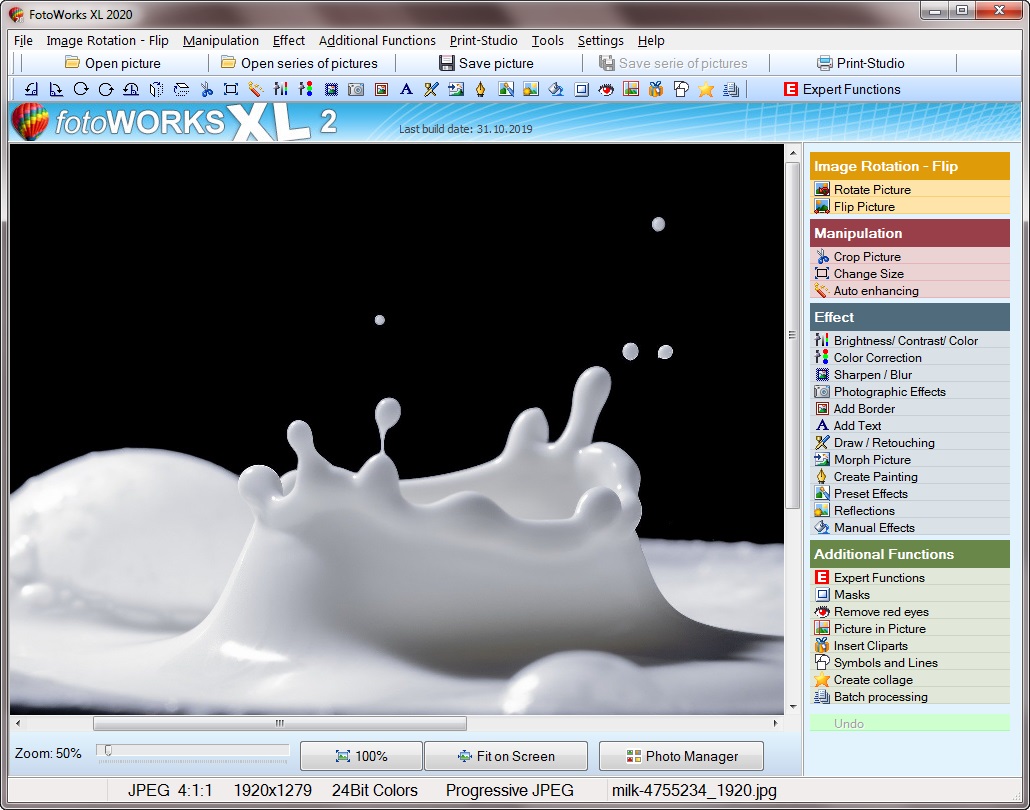
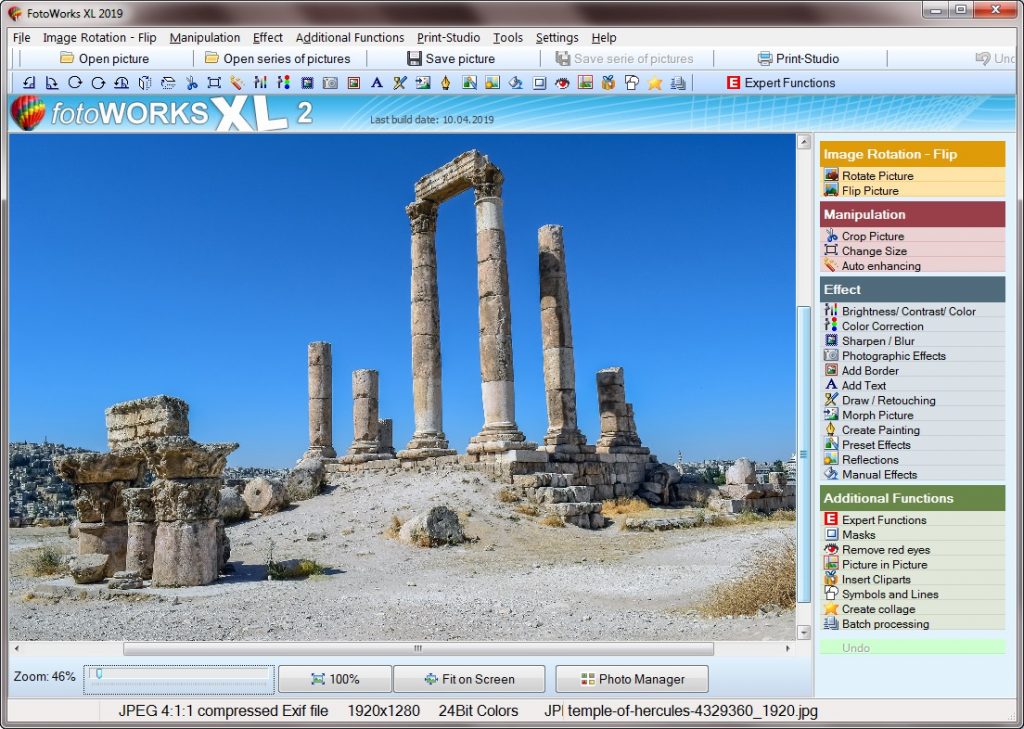
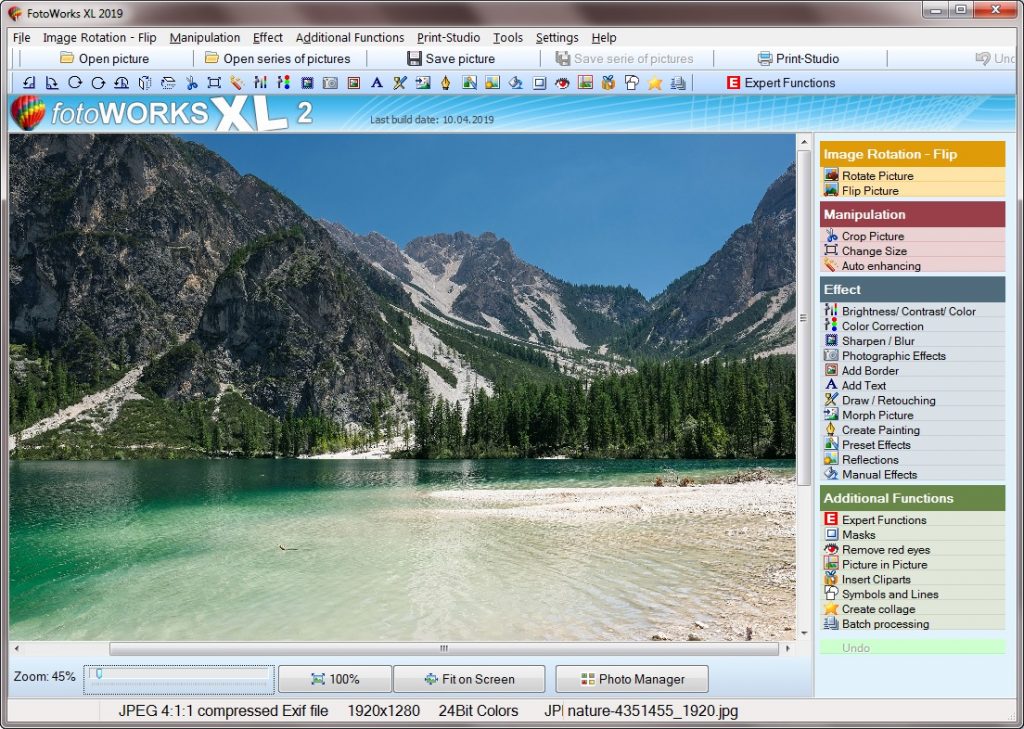
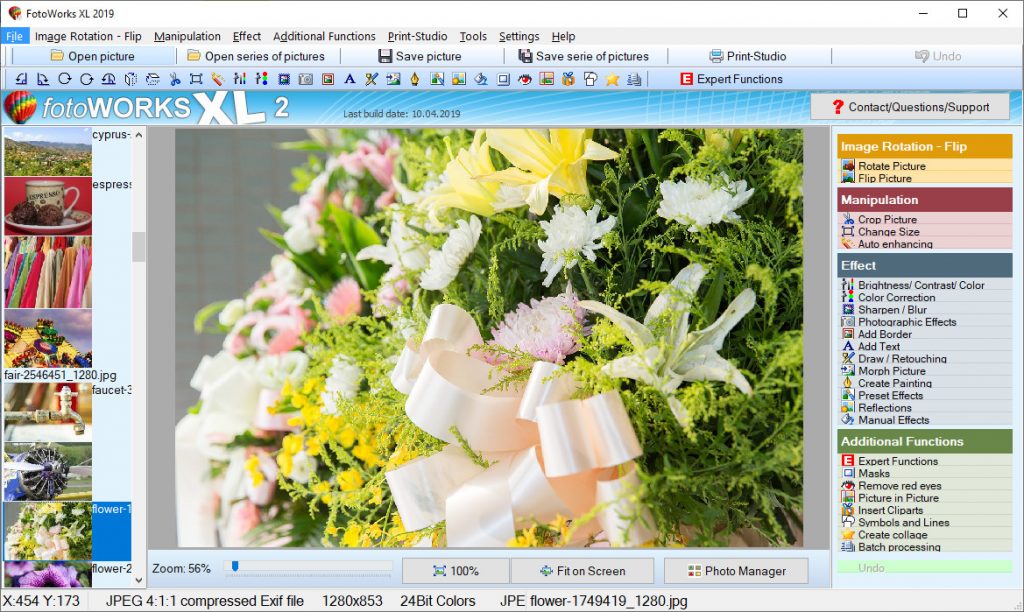
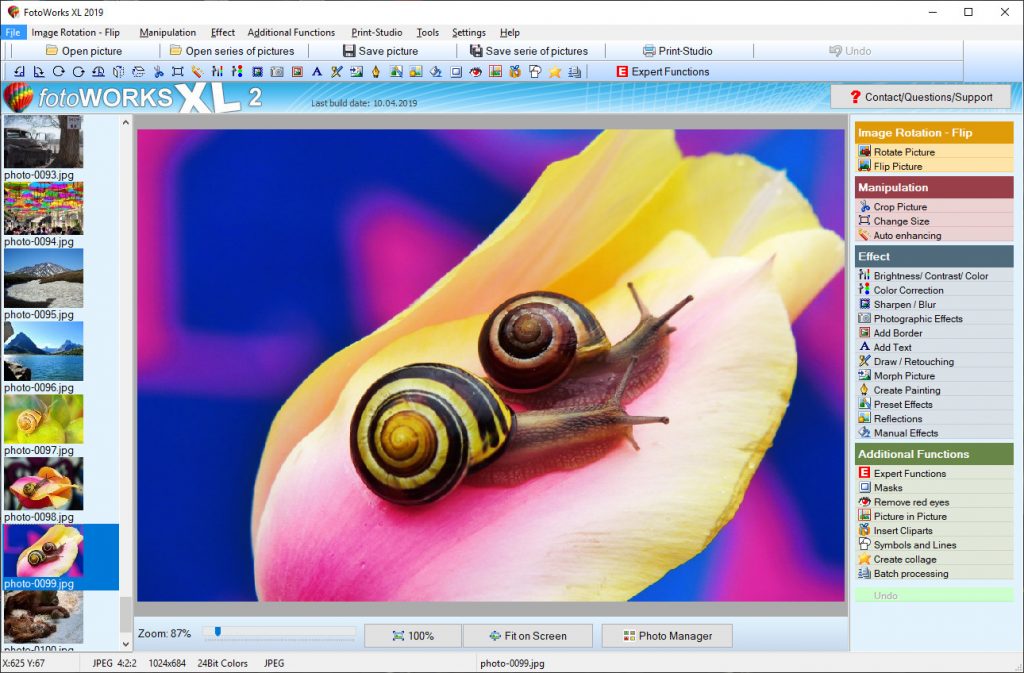
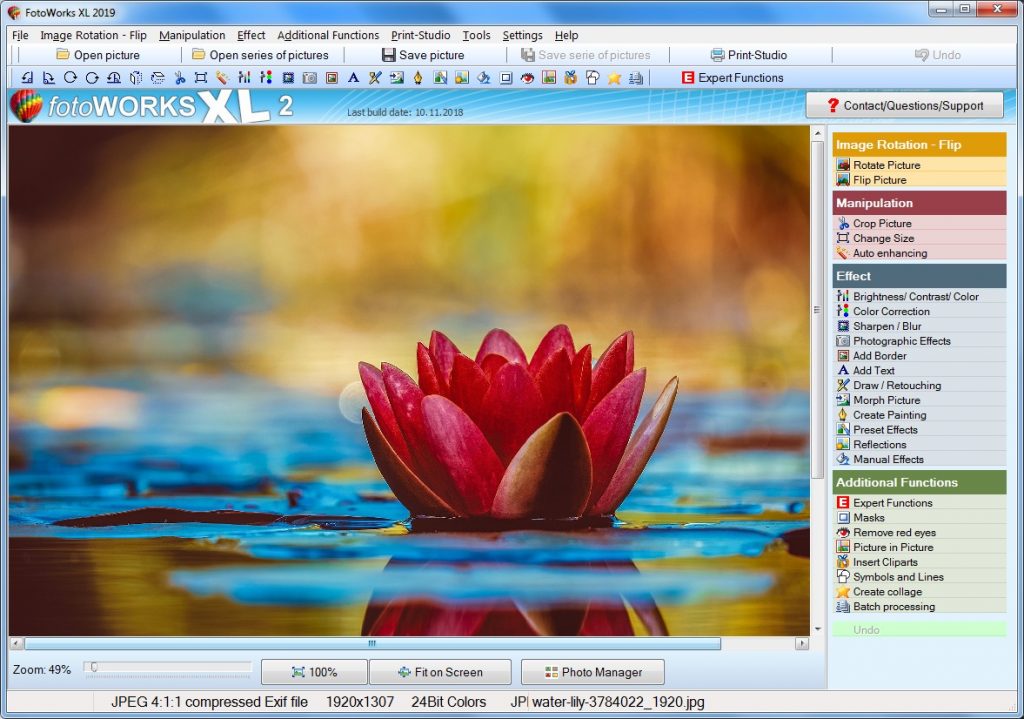
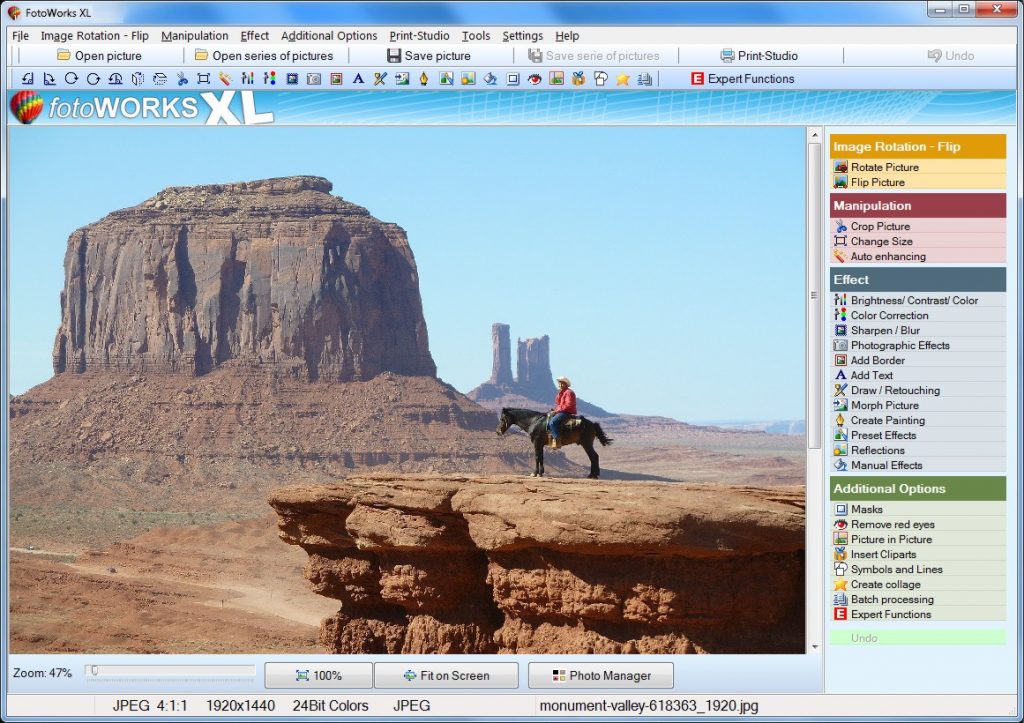
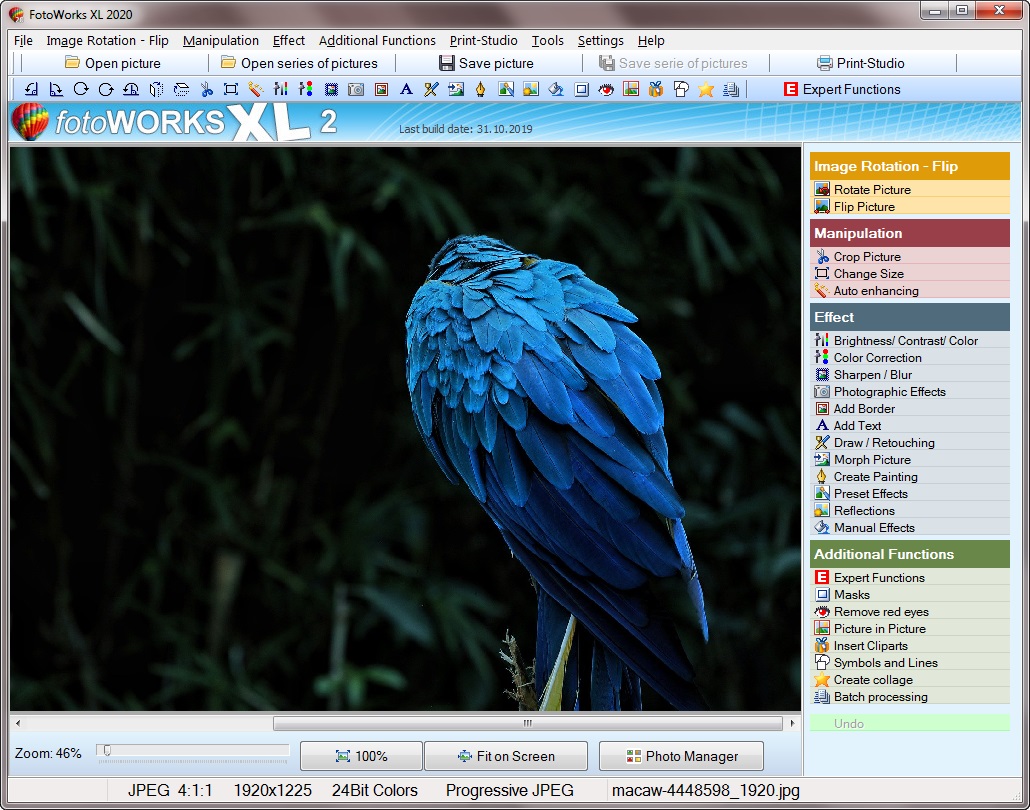
With the crucial photo editing tools openly displayed, one can easily spot and pick their favorite tool for use. The editing menu is clearly displayed on the right where automatic editing tools for beginners and hands on editing tools for seasoned editors are placed. Here, the editor may tweak the image to exactly what they want. In doing so, the photo editing software displays a comparison window where comparison of the original image can be made alongside the edited preview while making the necessary alterations. The photo editing software comes packed with all the necessary photo editing features which may be expected of a worthy photo editor. The simplicity presented by the interface combined with the various tools and editing features create a package which is easy to use. It’s a package whose quality is guaranteed.

To make it more interesting, the photo editing software free download is just a click away on the internet. Once this software free download is acquired, one may do away with any unnecessary expenses incurred in procuring the external help of photo editors since one may use this photo editing software for pc. Now, you may enjoy editing your own photos be it vacation, weddings, birthdays or any event for that matter without any problem through the use of the Fotoworks XL photo editing software.

Device Compatibility of Photo Editing Software

Fotoworks XL is an easy photo editing software for PC since it can be used by all groups like young, old, amateur or professionals.
Fotoworks XL is compatible for wide range of operating systems (OS) such as Windows 10, Windows 7, Windows 8, Windows Vista and Windows XP. However, in every OS the user can have access to limited features of the software. This is very advantageous to the software user since the cost of purchasing new software is eliminated because the software is compatible to a wide range of operating system. An upgraded OS results to an upgraded version of the software. Photo editing software windows 10 enables the user to access features on the software such as eliminating ‘red eyes’, and pictures can be stored and transmitted as JPEG forms which is useful because space and cost of storing and sending respectively is reduced. Photo editing software windows 7 is basically useful when trying to correct blunders made when taking the picture such as shadows.

Fotoworks XL similar to the other software gives users the opportunity to create images that are amazing without blemishes. It has proven to accommodate both amateurs and professionals in that both get to produce good pictures with an absolute ease and simplicity. Users get to produce “wow” photos with characters, themes they had intended to be displayed using features such as removing or adding objects, brightening or contrasting and many others. The photos created will capture audience attention be it in occasions and activities such as weddings, calendars, and advertising images among others. The photo editing software is reliable because it has an amazing customer service available from time to time making sure the customers/users are having the best time and are able to access the software without any difficult.

In conclusion, the Fotoworks XL is a photo editing software one should try out if looking for an awesome experience. Developers of this software have gone out of their way and are currently still upgrading the software into a more appealing version. For instance, the latest version of the software Fotoworks XL 2019 is exciting and amazing with its additional features like masks effects, automatic straightening among others. Its friendly and professional customer service team is able to communicate with customers as they get suggestions and recommendations on where to improve thus being able to suit the needs of many.